End the sermon
This page is for church staff after the speaker finishes. End the session and save its transcript and translations before closing the studio.
Ending one translator room does not end the church session. Use the studio's End Session control for the sermon.
Save the finished sermon
- Press the power button, End Session, at the top right of the studio. End this session? opens.
- Choose Save. Saving Session shows the save progress.
- Wait for saving to finish. The saved sermon's page opens, and a message says Session saved successfully.
- Check the saved transcript. The sermon is also available under Sessions.
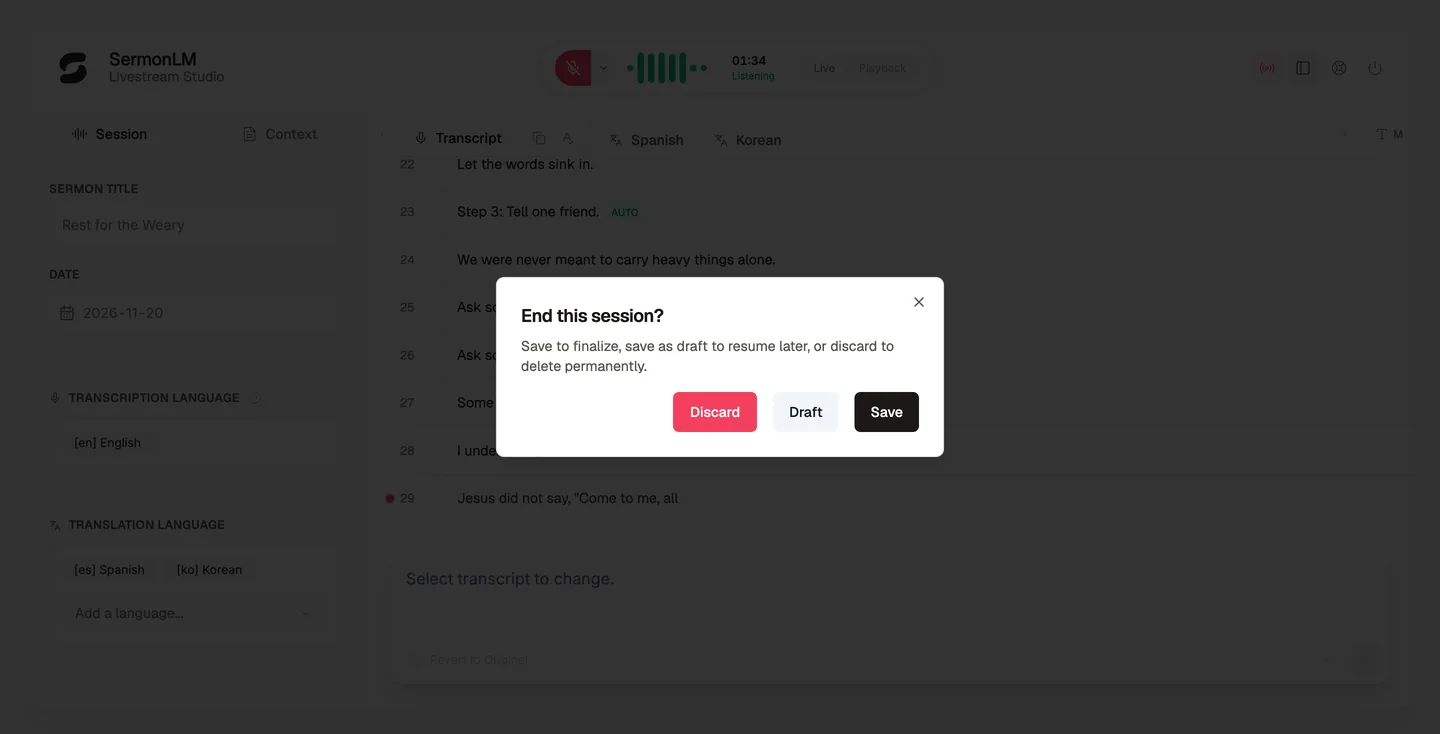
Keep the computer awake and connected while saving. Do not close the tab just because the speaker has stopped speaking.
If it does not work: keep the studio open and read the save message. If saving takes more than 20 seconds, Force close appears. Force close keeps only the copy this browser saved: when this browser could keep one, open the studio again later in the same browser, and Unsaved Session Found offers Recover. Another browser or computer does not have it. If the studio showed Local Backup Needs Attention, this browser may not have a copy: do not force close. Do not choose Discard to get past an error. See Tips and fixes, or Get help if the save cannot finish.
Know the other choices
| Choice | When to use it | Result |
|---|---|---|
| Save | The sermon is finished. | Finalizes the session and keeps its text for review and download. |
| Draft | You need to continue the session later. | Keeps the session as a draft that you can resume. Drafts with no activity for 30 days can be deleted with their text. Resume or save the draft before then. |
| Discard | You intend to delete this session. | Deletes it after the extra confirmation. |
For Discard, the button changes to Click again to confirm for 3 seconds. Only press it again if you intend to delete the session.
If it does not work: check the session's state under Sessions before opening another session. A draft is different from a finished sermon; use After the sermon to find it.
What guests and translators see
When the broadcast ends, guest pages show Session ended. Interpreter rooms also end when the sermon ends. A translator sees The sermon has ended in the room.
Tell your team when the service is finished. Do not use a translator's Mute button as a way to end the sermon; it only stops that microphone from sending sound.